Sign in and find your way around
Sign in to your company's workspace, accept an invitation, and learn the top bar, the left navigation, search and notifications.
Updated 19 October 2026
Your company's workspace has its own web address. Your administrator will tell you what it is. If you do not know it, go to globalprojects.app, choose Sign in, enter your Work email and choose Continue: you are taken to your company's workspace.
Accept your invitation
- Open the invitation link your administrator sent you.
- Check your name under Full name. Your email is filled in for you.
- Choose a Password of at least 8 characters and type it again under Confirm password.
- Choose Create account. You are signed in and see the Dashboard.
Sign in
- Go to your company's workspace address.
- Enter your Email and Password.
- Choose Sign in. You see the Dashboard.
Open a project
- On the Dashboard, find the project under Your projects.
- Click its card. The project opens and its pages appear in the left navigation.
- To see how projects are grouped into programmes and portfolios, choose Hierarchy in the left navigation.
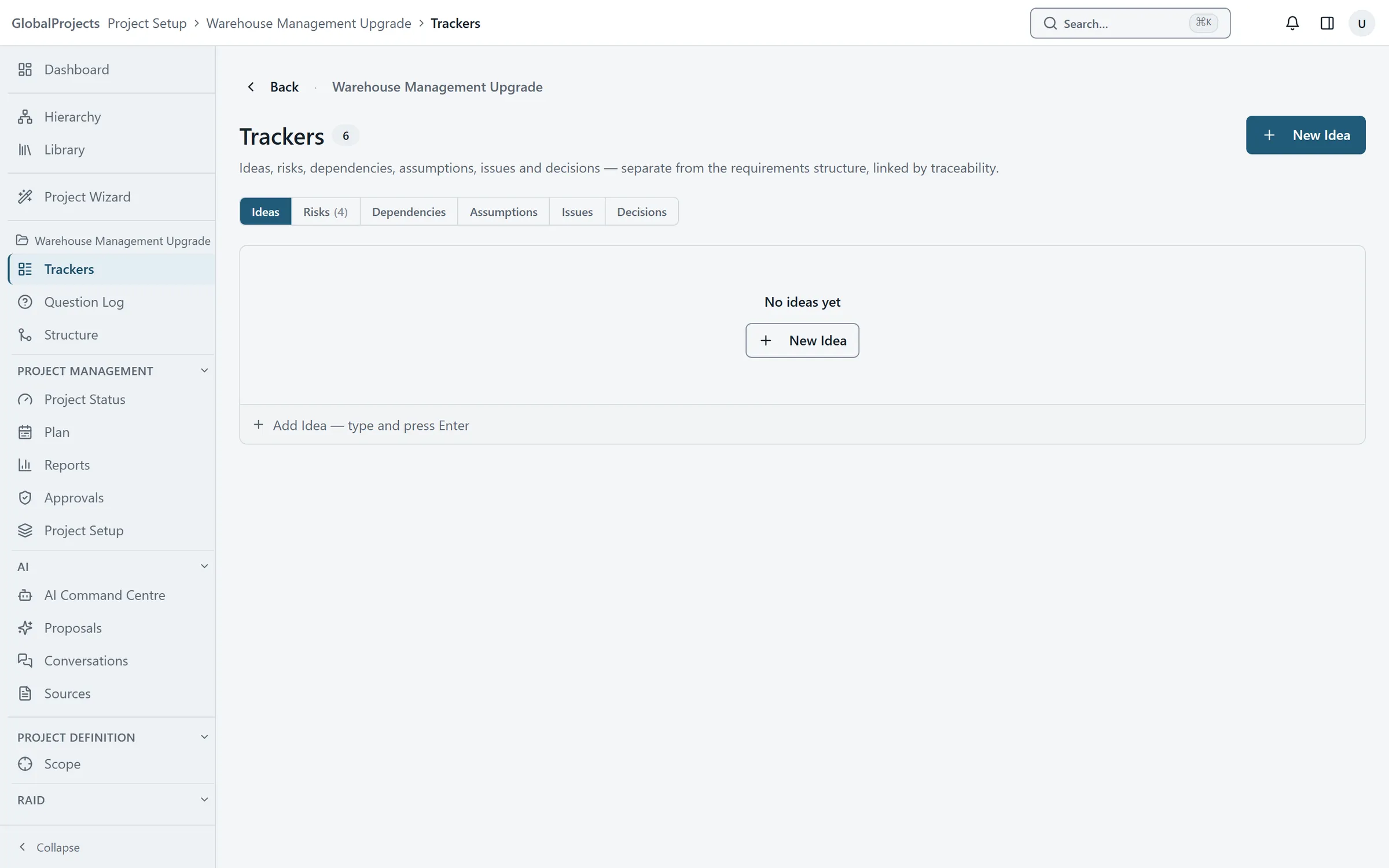
The left navigation
With a project open, the left navigation shows, from the top:
- Dashboard and Hierarchy, for the whole company.
- Project Wizard, with how far the guided set-up has got.
- The project’s name, then Trackers, Question Log and Structure.
- Project Management: Project Status, Plan, Reports, Approvals and Project Setup.
- AI: AI Command Centre, Proposals (with the number waiting), Conversations and Sources.
- The analysis areas switched on for the project, such as Scope and Requirements.
- At the bottom, Settings opens your own profile. Company administrators also see Admin.
Choose Collapse at the foot of the navigation to shrink it to icons.
Search and quick add
Press Ctrl+K (or ⌘K on a Mac), or choose Search… in the top bar. With a project open, type two or more characters of an item’s title or key to find it. The same box offers New requirement…, New risk…, New question… and the other quick adds; the window stays open so you can add several in a row.
Notifications
The bell in the top bar shows how many notifications you have not read. Open it to see who mentioned you, assigned you an item or asked for your sign-off. Click a notification to go to the item, or choose Mark all read.
The side panel
The panel button at the top right opens a panel beside your work. Its Traceability tab shows the parents, children and links of whatever you have selected.
Your profile and appearance
Choose Settings at the bottom of the left navigation. Under Appearance, choose a Theme (System, Light or Dark) and a Typeface; the change applies straight away. You can also change your display name and your password here.
More than one organisation
If you belong to more than one organisation in your company, the top bar shows its name. Choose it to switch. See Organisations.
Related articles
- What GlobalProjects is
A short tour — one structured record of a project's requirements, scope, risks and decisions, with AI that proposes and people who decide.
- Create your first project
Create a project in five short steps — its name and key, how it is delivered, its modules, its requirement categories and how long it keeps sources.
- Invite people and manage their access
Invite someone with a link, choose their role and projects, and change the roles of people already in your company.