How long sources are kept
Set how long your company keeps meeting notes, transcripts and uploads, place a legal hold, and find, hold or delete sources across every project.
Updated 19 October 2026
Sources — the notes, transcripts and documents added to projects — are kept for 365 days and then deleted, unless you choose otherwise. Only the source documents are deleted. Requirements, proposals, decisions and everything else they produced are kept.
Change the company's retention policy
- In Admin, on the Overview tab, choose Sources.
- Under Retention policy, choose Change.
- Type the number of days to keep a source, or tick Keep forever.
- Choose Save. If the new period is shorter, read the confirmation, then choose Save policy.
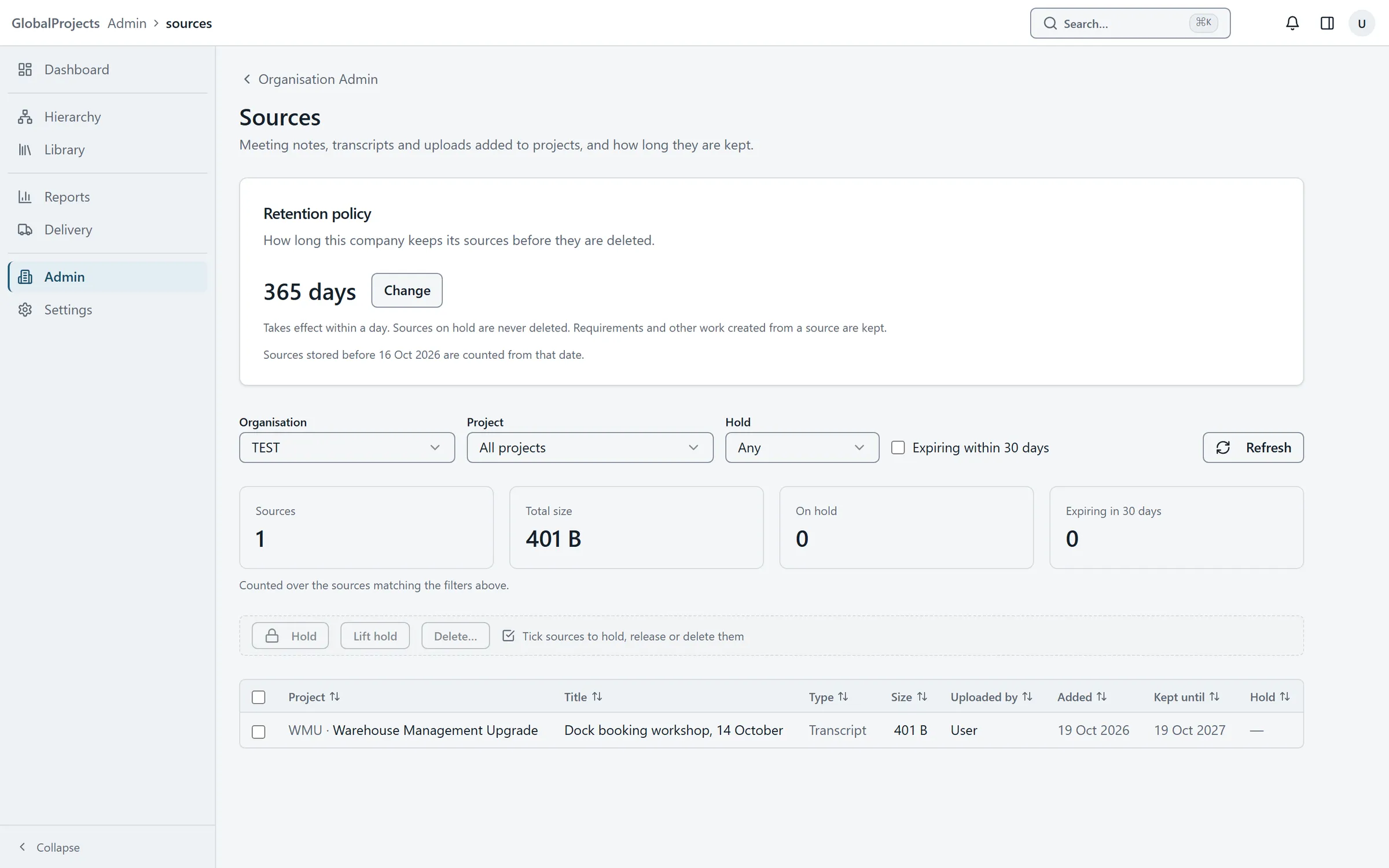
Hold or delete sources across projects
- On the same page, narrow the list with Organisation, Project, Hold and Expiring within 30 days.
- Tick the sources you want.
- Choose Hold to keep them until the hold is lifted, or Lift hold to release them.
- Or choose Delete… and confirm with Delete.
Keep a project's sources for less time
- Open the project and choose Project Setup, then the AI tab.
- Under Source retention, choose Keep sources for less and type the number of days.
- Choose Save retention.
When a shorter policy takes effect
Deleting starts with that night’s run, and a change reaches existing sources within a day. A source is deleted the given number of days after it was added. A project can keep its sources for less time than the company, never for longer.
Legal hold
A source on hold is never deleted — not by the policy and not by anyone — until the hold is lifted. In a project, people with the manage project settings permission can also choose Hold on a source in Project sources.
Reading the list
Kept until shows On hold, Forever or the date a source will be deleted. A date less than 14 days away is shown in amber. The totals above the list count only the sources that match your filters.
Who can do this
The company’s Sources page is for company administrators. A project’s own retention needs the manage project settings permission on that project.
Related articles
- Add sources — notes, transcripts and documents
Give the project the material the AI reads — paste a transcript or upload a document — then view it, hold it or delete it.
- AI spend across the company
See your plan's AI allowance and what is used, AI spend across every project this month, and each project's cap.
- Create your first project
Create a project in five short steps — its name and key, how it is delivered, its modules, its requirement categories and how long it keeps sources.