Product
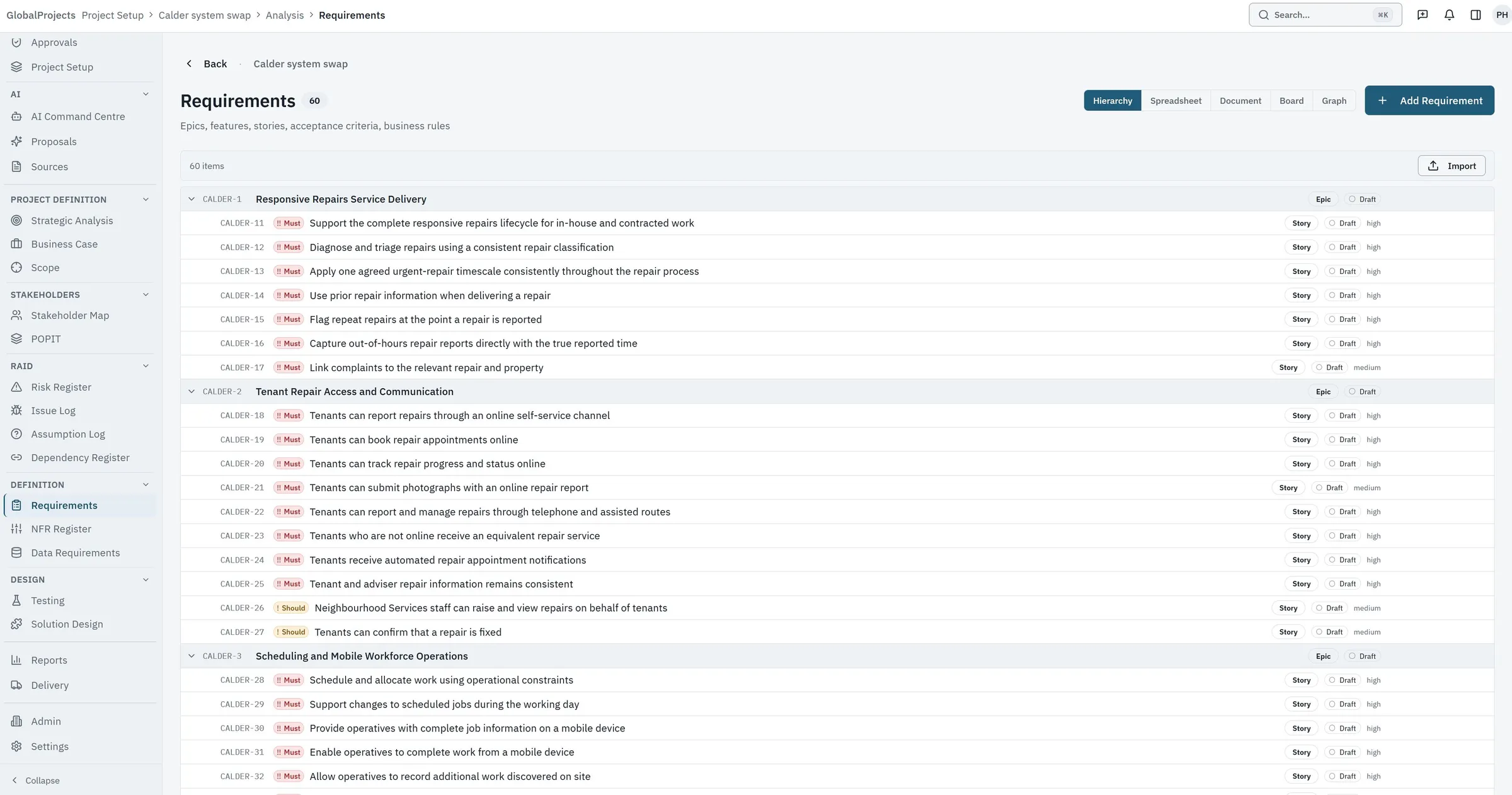
One record. A hierarchy, a spreadsheet and a document are three views of it.
Analysis goes wrong in the gaps between artefacts — the scope deck, the requirements document, the traceability matrix and the delivery backlog, each maintained by hand and each out of date in a different way. GlobalProjects holds one structured record and renders it four ways, so there is nothing to reconcile.
What it does
Requirements
The hierarchy, the spreadsheet, the document view and the custom fields your organisation's template already expects.
AI
Sources, passes and a review queue where a person accepts or rejects every proposed line.
Traceability and reporting
Links that survive a restructure, and reports generated from the live record rather than assembled by hand.
Governance
Configurable statuses, controlled transitions, roles and capabilities, and a change history on every item.
The plan, in the same workspace
A project's plan sits beside its requirements, at the depth the project needs: milestones alone, a full schedule, or a schedule with people against it. The dates a sponsor reads on the status page come from the plan the team actually keeps.
-
Milestones with an honest health
Each milestone has a target date and shows whether it is on track, at risk or late against a tolerance the project sets. The project's status page shows when as well as where, and the next milestone is on the dashboard.
-
A schedule you build like a spreadsheet
Tasks in a work breakdown, with dependencies, lags and working calendars, typed with the same keyboard habits as the requirements grid. Move one date and the tasks that depend on it reschedule. A pasted block of tasks is shown row by row before anything is created.
-
A Gantt chart drawn from the same rows
The schedule as bars and links beside the grid, with the critical path outlined. Dragging a bar or drawing a link is an ordinary edit to the schedule, and it reschedules in the same way.
-
Baselines, and how far things have moved
Record a baseline when a plan is agreed. Every task and milestone then shows how far it has moved from it, counted in working days on the project's own calendar, and earlier baselines stay on record.
-
People and capacity
Name the people on the plan with their hours, availability and leave, assign them to tasks, and see where someone is over-allocated. An assignment never moves a date: the schedule stays a decision a person made.
-
Highlight reports, versioned
The project manager sets the RAG status and writes the summary, and the report records what the plan itself suggested at the moment it was published. Each published version is kept unchanged, read in the report viewer and exported to Word.
-
Across projects, one table
On a programme or a portfolio, the projects beneath it in one table: stage, RAG, next milestone, schedule health, requirements progress, and open risks and issues. Each person sees only the projects they may open, and the totals count only those.
What each job costs today
The comparison that matters is not against another product — it is against the document, the spreadsheet, the inbox and the meeting that do this work in most organisations now.
| The job | A document and a spreadsheet | Here |
|---|---|---|
| Turning a discovery pack into a first draft | An analyst reads everything and writes the first draft by hand. Days, and the quality depends on who was free. | A pass reads the same material and proposes the draft with its evidence; the analyst reviews rather than writes. |
| Knowing where a requirement came from | A version number, a file name, and somebody's memory of which workshop it was. | The requirement links back to the source it was drawn from and across to the scope, risks and assumptions it touches. |
| Changing the structure late | Renumbering, reformatting, and rebuilding the traceability matrix from scratch. | Items move; the links follow them. Identifiers stay stable and read the same in conversation. |
| Adding a field your template needs | A new column in the spreadsheet, and a new heading in the document that someone has to remember to fill in. | A custom field defined once per level, rendered everywhere the item appears. |
| Producing the document for sign-off | Copy out of the spreadsheet, paste into the template, fix the formatting, repeat next month. | Exported from the live record to Word, in the same shape every time. |
Questions we get asked first
- Does the AI write requirements into our project on its own?
- No, and it cannot be configured to. Everything a pass produces is a proposal in a review queue. A named person accepts or rejects each row, and only accepted rows become items. That separation is built into the write path, not enforced by a preference.
- Do our BAs have to give up spreadsheets?
- No. The primary working surface is a dense grid with a frozen ID column, keyboard navigation, copy and paste, collapsible levels and columns your team adds itself. You can also paste a range straight in from a spreadsheet you already have.
- Is this a project management tool?
- It is an analysis and requirements workspace first. It also holds the project's plan, from milestones up to a full schedule with people against it, beside the requirements that plan delivers. It does not replace the tool your delivery teams use for their day-to-day tickets.
- Who can see our data?
- Each customer has its own database and its own access team, and access within your workspace is decided by roles and capabilities that are checked on the server before anything is written. The security page sets out the controls in detail.
- What happens to the documents we upload?
- They are stored in your own workspace, readable in place, and used as the evidence behind proposals. Where a pass sends text to an AI provider, that provider's published terms say the content is not used to train their models — we link those terms and the date we checked them.
Bring a real project to the call
The fastest way to judge this is to watch it work on material you already know the answers to. Send us a discovery pack and we will run it live.