Product
The requirements set, as structure rather than as a document.
A requirements document is a poor container for requirements. It cannot be queried, it cannot be traced, and the moment it is circulated there are seven of it. Here the requirements are structured data, and the document is something you generate from them.
The working surfaces
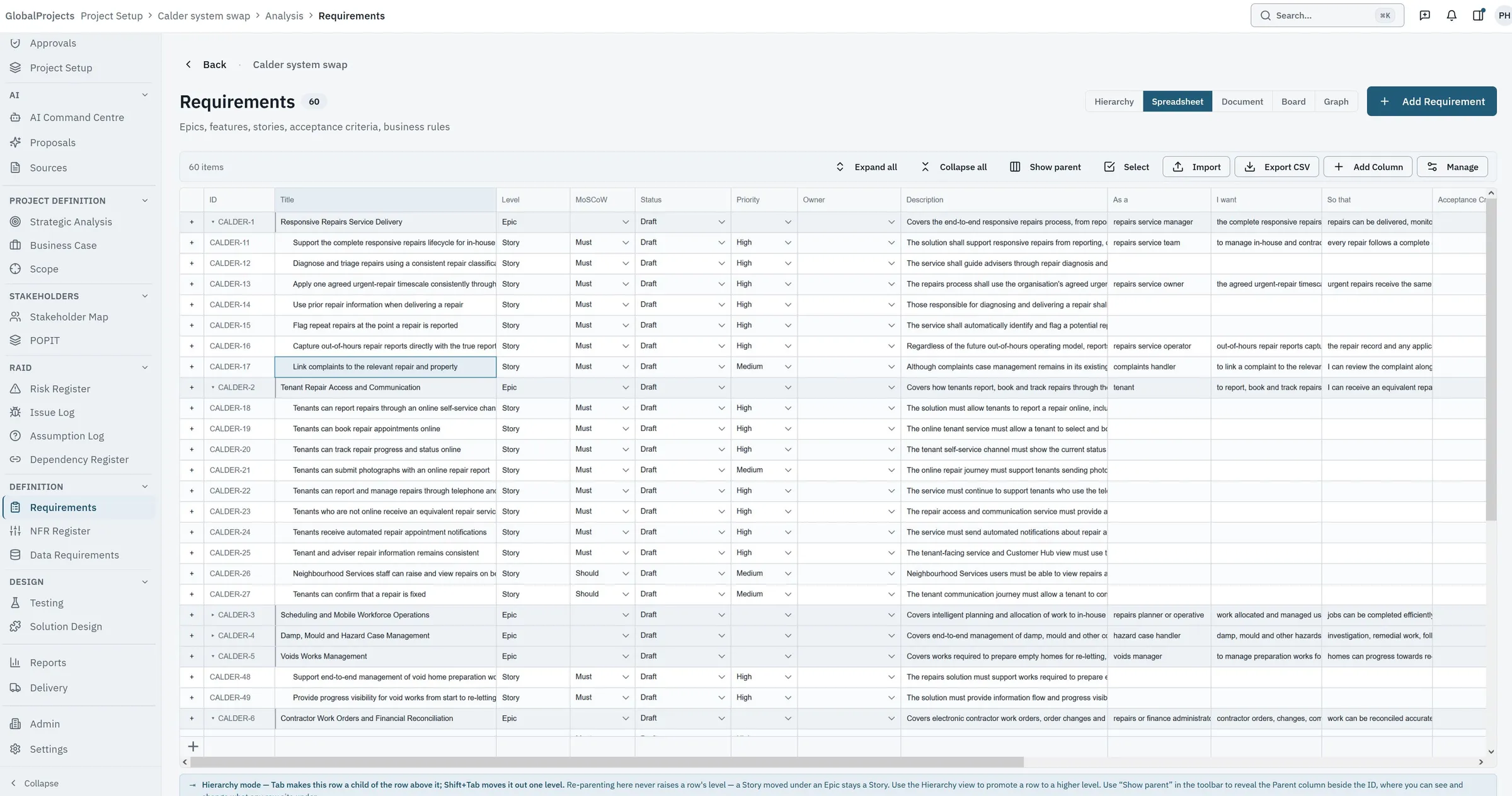
A spreadsheet held to the standard of Excel
Dense rows, a frozen identifier column, horizontal scroll, keyboard navigation, copy and paste, and hierarchy levels that collapse like an outline. This is the surface a business analyst lives in, so it is the one that had to be right first — it is judged against the spreadsheet it replaces, not against other software.
-
A hierarchy you can rearrange
Sections, high-level requirements and detailed requirements in a tree you can restructure as understanding improves. Identifiers are drawn from the project, not from the item's type or its position, so they read neutrally in a meeting and do not change when the structure does.
-
A document view for the people who want a document
The same items, rendered as the requirements specification your stakeholders expect to read, updating as the record does. Nobody has to maintain a second copy in order to give a sponsor something familiar.
-
The fields your template already has
Define custom fields per hierarchy level — acceptance criteria, regulatory reference, source system, whatever your standard demands — and they appear consistently in the grid, the document, the detail page and the dialogs. Nothing is hard-coded to one organisation's template.
-
Start from the spreadsheet you already have
Paste a rectangular range straight into the grid, mapped by column. The first hour does not have to be spent retyping an existing requirements list into an empty tool.
-
The registers, linked to the work
Risks, issues, assumptions, dependencies and decisions are kept as items in their own right and linked to the requirements they affect — rather than in the separate spreadsheet that never quite matches.
See it on your own requirements
Paste in a page of an existing requirements list and see what it looks like as structure. It is a short call and it answers most of the question.